Modifier snippets
Added in version 3.15.0.
Modifier snippets provide an easy way to share modifier configurations with other OVITO users, for example in the OVITO online forum or with co-workers. A snippet is a portable text representation of one or more modifiers, including all their parameter settings, that can be copied to the clipboard, pasted into an online chat, email, or text file, and then imported into another OVITO session to exactly recreate the original modifier(s).
This feature is particularly useful when you want to:
Share a specific analysis workflow or visualization setup with colleagues
Post a solution to a question in the OVITO online forum
Document modifier configurations for reproducibility
Transfer modifier setups between different computers without using OVITO’s more heavyweight session file format
Exporting modifiers as a snippet
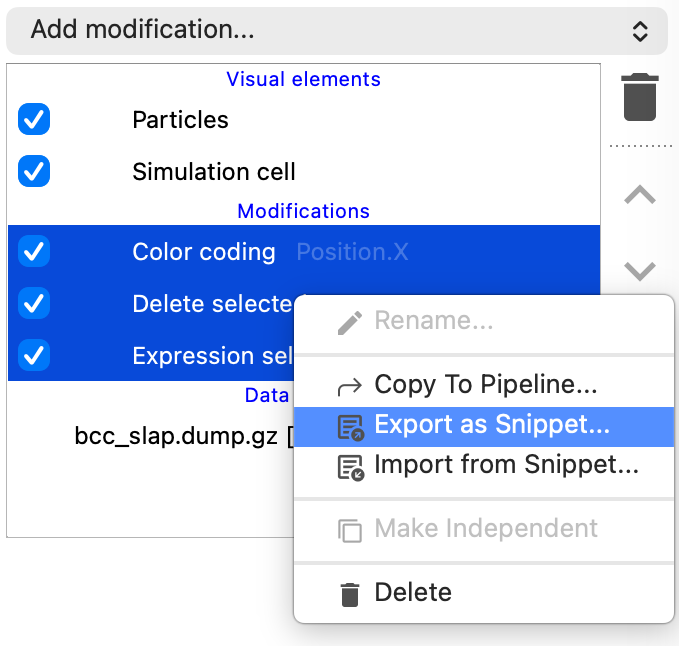
To export one or more modifiers as a text snippet:
Select the modifier(s) you want to export in the pipeline editor. You can select multiple modifiers by holding Ctrl (or Cmd on macOS) while clicking.
Right-click on the selection to open the context menu.
Choose Export as Snippet… from the context menu.
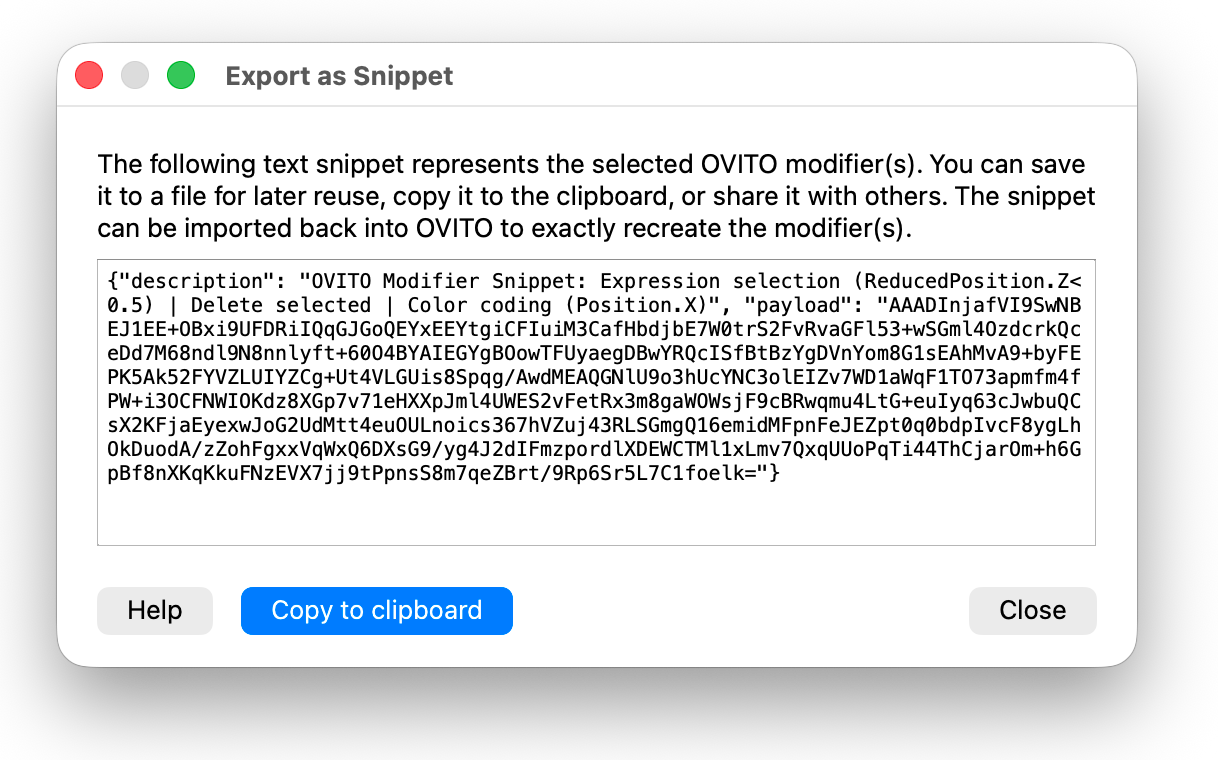
The export dialog displays the generated text snippet in a read-only text area. The snippet is a JSON-formatted string containing a human-readable description of the exported modifiers and an encoded payload with the serialized modifier settings. Click the Copy to clipboard button to copy the snippet text. You can then paste it into an email, online chat, or save it to a text file for later use.
Caution
The Manual selection modifier cannot be saved as a snippet. It will lose its selection state during the export process.
Importing modifiers from a snippet
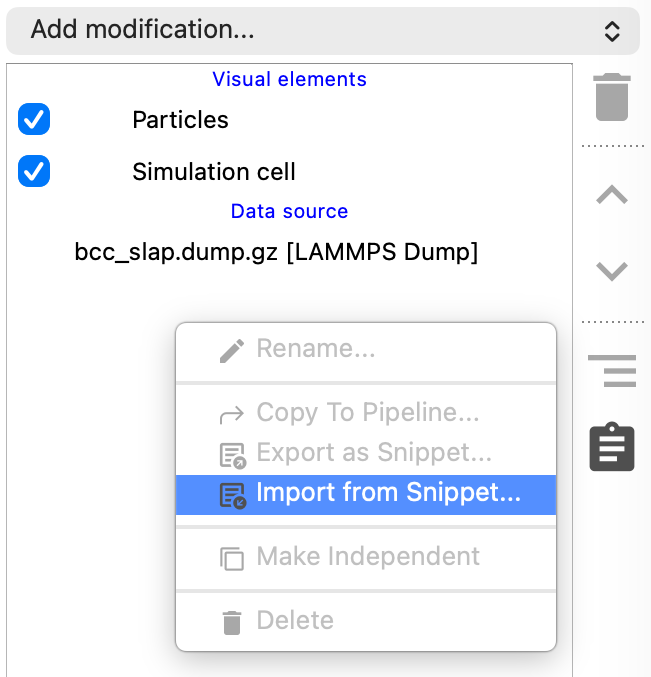
To import modifiers from a text snippet:
First, make sure you have a data pipeline selected in OVITO into which the imported modifier(s) will be inserted.
Right-click in the pipeline editor to open the context menu.
Choose Import from Snippet… from the context menu.
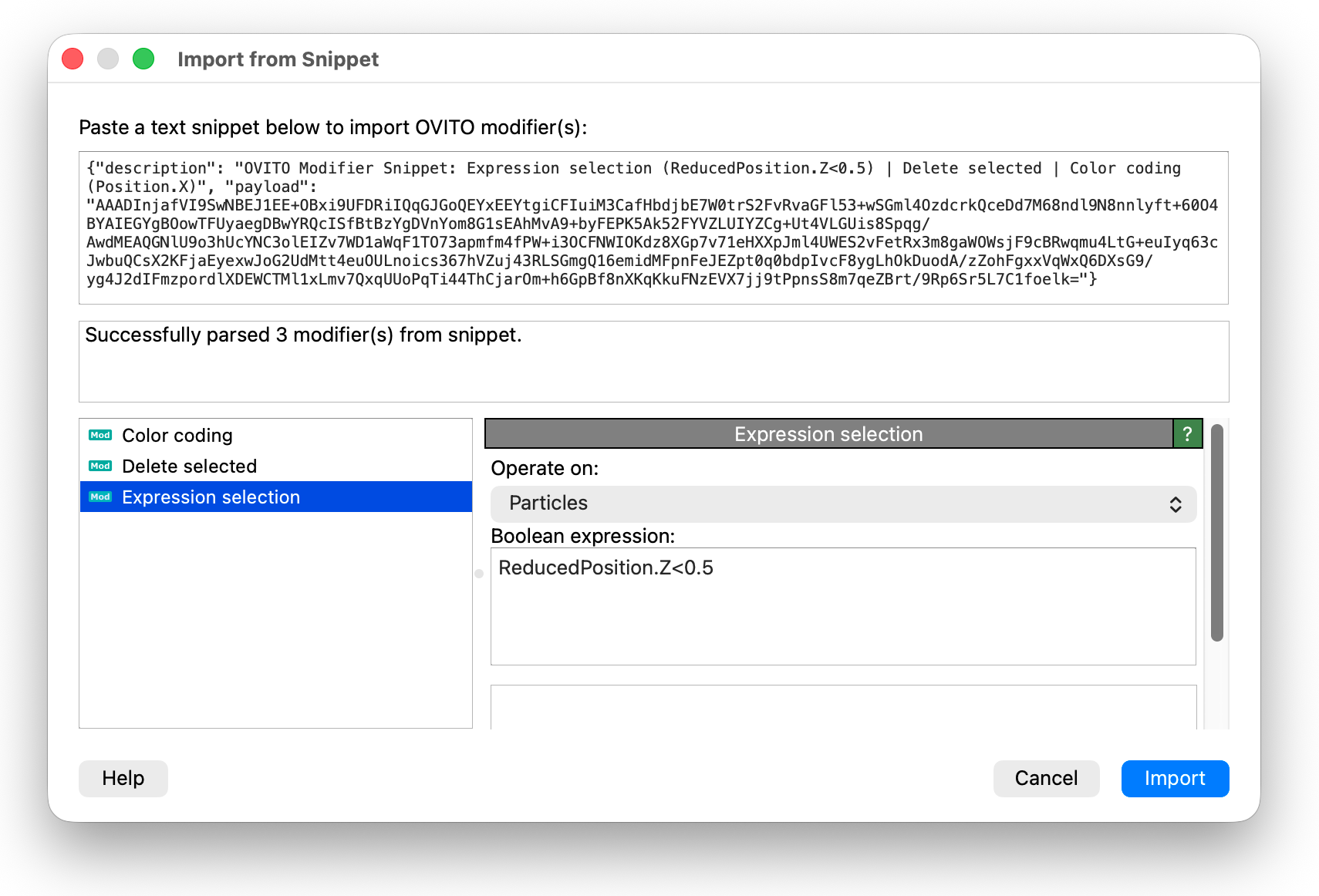
The import dialog provides a text input field at the top. Paste the snippet text you received from another user or copied from another source into this area. If the clipboard already contains a valid snippet, it will be automatically pasted into the input field when the dialog opens.
As soon as you paste a valid snippet, OVITO parses it and displays the list of modifiers contained in the snippet. Selecting a modifier from the list shows its parameter settings in the properties panel on the right, allowing you to review the configuration before importing.
Click the Import button to add the modifier(s) to your current data pipeline. The imported modifiers are inserted at the currently selected position in the pipeline. If the snippet contains multiple modifiers, they are automatically grouped together for easier management.
Technical details
Modifier snippets use OVITO’s internal binary serialization format to capture the complete state of modifier objects, including all parameter settings and associated visual elements. This serialized data is compressed and encoded as Base64 text, then wrapped in a JSON structure with a human-readable description field. The resulting text string can be safely shared through any text-based medium.
Note
Snippets are forward-compatible within the same major version of OVITO. However, snippets created with a newer version of OVITO may not be importable in older versions if they contain modifiers or settings that did not exist in the older version.
Comparison with other methods
OVITO offers several mechanisms for saving and reusing modifier configurations. Each method has its own strengths and is suited for different use cases:
- Modifier Snippets
Snippets are lightweight, portable text strings that capture one or more modifiers with all their settings. They are ideal for sharing configurations with others, for example in forum posts, emails, or chat messages. The opaque binary format ensures exact reproduction but is not human-readable.
- Modifier Templates
Modifier templates are stored in OVITO’s local application settings and are preserved across program sessions. They appear directly in the modifier drop-down list for quick insertion. Templates are best suited for personal reuse of frequently needed modifier configurations.
- Session State Files
Session state files (
.ovitofiles) preserve the entire project state, including all data pipelines, imported files, viewport configurations, and render settings. They are more heavyweight than snippets or templates but provide a complete snapshot of your work. Session files are useful for archiving projects or sharing complete visualization setups with collaborators.- Python Scripts pro
The Python code generator in OVITO Pro can convert your data pipeline into an equivalent Python script. Unlike the other methods, Python scripts are human-readable and can be manually edited to tweak parameters, add custom logic, or integrate the pipeline into larger automation workflows. This method offers maximum flexibility but requires familiarity with Python programming and OVITO’s scripting API.
Modifier Snippets |
Modifier Templates |
Session Files |
Python Scripts |
|
|---|---|---|---|---|
Primary purpose |
Sharing with others |
Personal reuse |
Project archiving |
Automation |
Storage |
Portable text |
App settings |
|
|
Scope |
Modifiers only |
Modifiers only |
Entire project |
Entire pipeline |
Best for |
Online chats, emails |
Quick access |
Archiving, sharing |
Batch processing |