Particles
In OVITO, a system of N particles is represented as a collection of particle properties, each stored as a uniform data array of length N:

The Position property array is always present and contains the Cartesian coordinates of the particles.
All other properties are optional and depend on the loaded simulation file and any modifiers
applied within OVITO. Modifiers can dynamically add new properties to particles to store computed results.
You can view all currently available particle properties in OVITO’s data inspector panel, which is located below the viewport(s).
Special particle properties
Some particle properties have a unique role in OVITO, influencing the visual appearance of particles or other aspects of the dataset. The table below describes these special properties:
Particle property |
Data type (components) |
Description |
|---|---|---|
|
float64 (X, Y, Z) |
The particle coordinates. In 2D systems, the Z-component is set to 0. |
|
float32 (R, G, B) |
If present, controls the particle display color. Red, green, and blue values range from [0,1]. |
|
float32 |
If present, determines the display size of spherical and cubic particles. |
|
int32 |
Stores the type ID of each particle, defining its display size and color if |
|
int64 |
A unique ID assigned to each particle. Used by some modifiers to track particles across trajectory frames. |
|
float32 |
A value in the range [0,1] that controls particle transparency. If absent, particles are fully opaque. |
|
int8 |
Indicates a particle’s selection state (1 = selected, 0 = unselected). |
|
int8 |
Particles with a non-zero value are not rendered. See Hide selected. |
|
float32 (X, Y, Z) |
If present, gives particles an ellipsoidal shape. See Non-spherical particle shapes. |
Typed properties
A typed property is a particle property where each numeric value identifies a type,
and the corresponding descriptor of the type, which is stored in a separate lookup table, holds additional attributes.
The Particle Type property is a common example: it stores each particle’s type ID (e.g., 1, 2, 3, …), with an associated table defining the
display color, radius, and other attributes of each type. This is more space efficient than storing the attributes directly for each particle.

A particle structure may have multiple typed properties, allowing for different orthogonal classifications of particles.
For example, in addition to Particle Type, a dataset might include properties such as Residue Type,
Structure Type, or Molecule Type. You can inspect all typed properties by
opening the Particles tab of the data inspector.
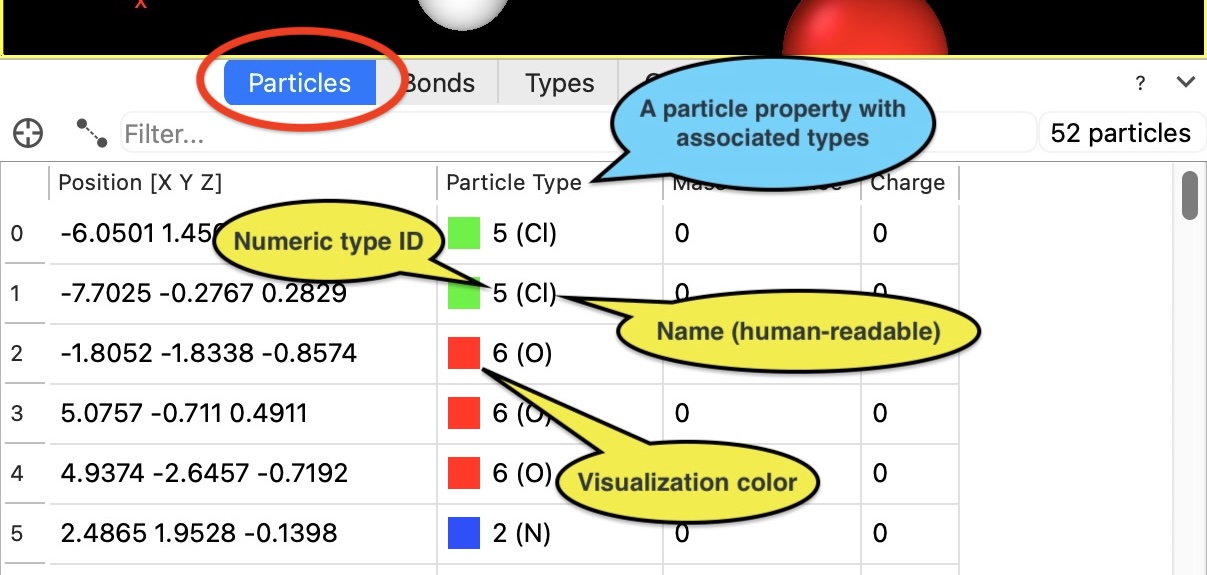
The list of particle types loaded from a simulation file can be inspected on the Types tab. You can change the attributes of individual types by inserting the Edit types modifier into the data pipeline.
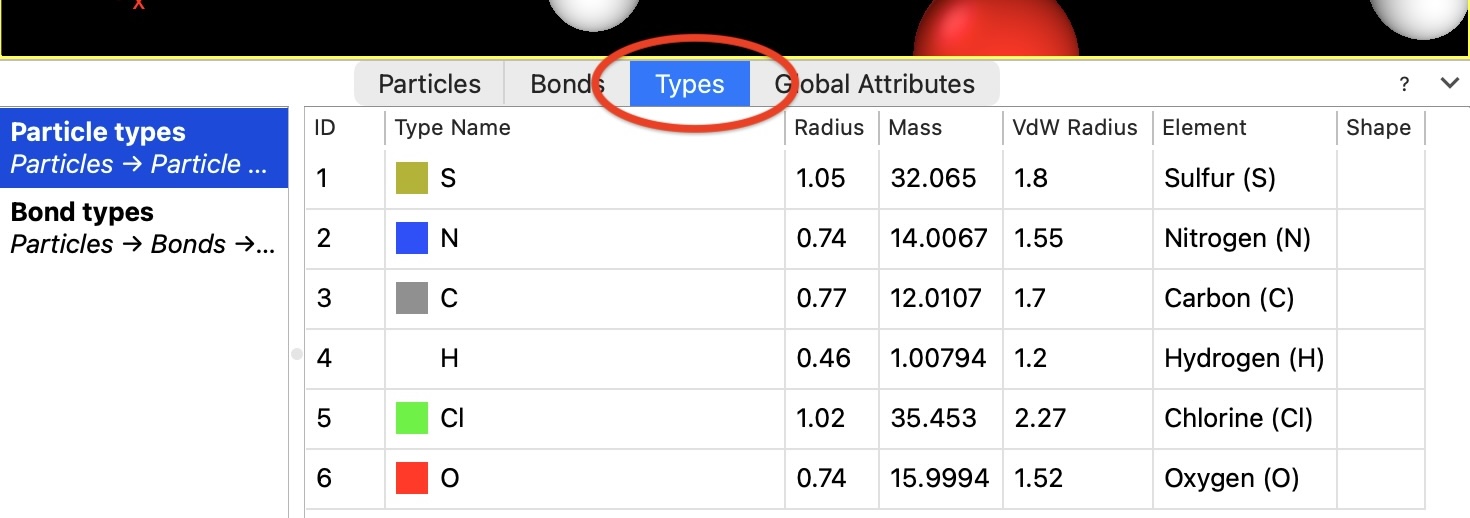
If a type’s name matches a standard chemical symbol, OVITO automatically assigns default values for display color, display radius, van der Waals radius, and mass – based on an internal database of chemical element presets. You can change these defaults in the application settings dialog.
Furthermore, it is possible to predefine attributes for numeric (unnamed) particle types (e.g., “Type 1”, “Type 2”), which is useful when loading files that contain only numeric type identifiers instead of type names, such as LAMMPS dump files.
See also
Edit types modifier
Types tab of the data inspector
ovito.data.Particles(Python API)ovito.data.Property(Python API)ovito.data.Property.types(Python API)