Select overlapping particles
Added in version 3.15.0.
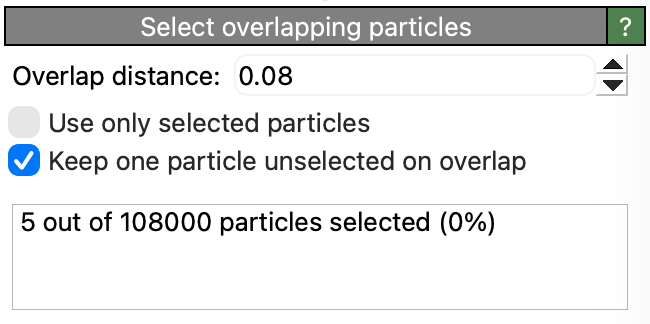
Selects particles that are within a given distance of each other. This selection can be used to subsequently remove particles that are too close to each other or which have duplicate coordinates.
Parameters
- Overlap distance
The inter-particle distance (threshold) below which particles are considered overlapping and will be selected by this modifier.
- Use only selected particles
Controls whether the modifier should operate only on currently selected particles. Requires an input particle selection, which will be replaced by the output selection of overlapping particles. If this option is enabled, unselected input particles will be completely ignored by the modifier.
Use this option when you want to identify overlapping particles within a specific subset of particles only.
- Keep one particle unselected on overlap
When two or more particles are within the threshold distance of each other, this option controls whether the modifier selects all of the particles in the overlap group or excludes one of them from the selection.
If this option is turned on (the default), one randomly picked particle from each overlap group will not be selected. Use this mode if the goal is to delete duplicate particles and keep exactly one.
If this option is turned off, all particles in the overlap group will be selected. Use this mode when the goal is to identify particles that are close to each other.
To subsequently remove the selected particles from the system, you can apply a Delete selected modifier.
See also
ovito.modifiers.SelectOverlappingParticlesModifier (Python API)