Parameters of Python extensions
OVITO Pro Python scripts
All class-based Python extensions – modifiers, pipeline sources, file readers and writers, viewport layers, and utility applets – can expose parameters, which control their operation. This page explains how to define them.
Defining parameters

Parameters are based on the Traits framework, a third-party Python package that comes with OVITO. A trait is a class attribute with a type, a default value, and automatic validation of assigned values. You define a parameter by assigning a trait to a class attribute:
import numpy
from ovito.data import DataCollection
from ovito.pipeline import ModifierInterface
from traits.api import Float

class PerturbPositions(ModifierInterface):

    magnitude = Float(0.1, label="Displacement magnitude")

    def modify(self, data: DataCollection, **kwargs):
        rng = numpy.random.default_rng(seed=1)
        data.particles_.positions_ += self.magnitude * rng.standard_normal(data.particles.positions.shape)
Your code accesses the current parameter value as a regular attribute, e.g. self.magnitude. OVITO Pro automatically generates an input widget for each parameter
in the extension’s panel. The label metadata specifies the text shown next to the widget.
In a Python script, you set parameter values as keyword arguments when constructing the extension object, or by assigning them later, e.g.
modifier.magnitude = 0.5. The functions import_file() and export_file() forward extra keyword arguments to custom file readers and writers,
respectively, to initialize their parameters.
When OVITO Pro saves a session state file, the current parameter values get stored in the file using Python’s pickle module.
Parameter types and widgets
The following table lists the trait types for which OVITO Pro generates specialized input widgets. They come from the traits.trait_types module
and OVITO’s own ovito.traits module. Trait types not listed here are displayed as text fields showing the value in
printable form.
Trait type |
Example |
|---|---|
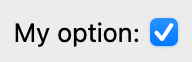
option = Bool(True, label="My option")
|
|
count = Int(100, label="My value")

|
|
value = Float(123.4, label="My value")

|
|
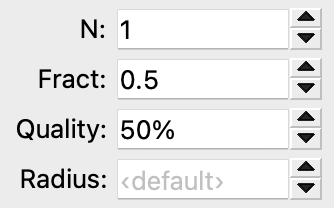
n = Range(low=1, high=16, value=1, label="N")
f = Range(low=0.0, high=1.0, value=0.5, label="Fract")
q = Range(low=0.0, high=1.0, value=0.5, label="Quality", ovito_unit="percent")
r = Range(low=0.0, value=0.0, label="Radius", ovito_placeholder="‹default›")
|
|
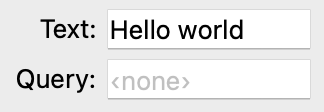
text  = Str("Hello world", label="Text")
query = Str(label="Query", ovito_placeholder="‹none›")
|
|
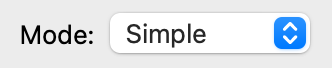
mode = Enum("Simple", ["Simple", "Advanced"], label="Mode")
|
|
quality = Map({"low": 1, "medium": 2, "high": 3}, label="Quality")

|
|
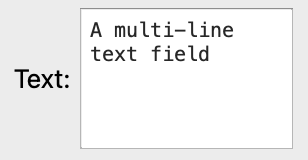
long_text = Code("A multi-line\ntext field", label="Text")
|
|
action_btn = Button(ovito_label="Run Action")

|
|
rgb = Color((1.0, 0.5, 0.5), label="Color")

|
|
xy   = Vector2((1.0, -0.5), label="Position")
size = Vector2((1.0, 1.0), ovito_unit="percent", low=0.0, high=1.0)

|
|
vec     = Vector3((1.0, 0.5, 0.0), label="Direction")
scaling = Vector3((1.0, 1.0, 1.0), label="Scaling", ovito_unit="percent")

|
|
tm = Matrix3(((1.0, 0.5, 0.0), (0.0, 1.0, -2.0), (0.0, 0.0, 1.0)),
             label="Transformation")

|
|
input_file = FilePath(label="Input file",
                      ovito_file_exists=True,
                      ovito_file_filter=["JSON (*.json)", "All files (*)"])

|
|
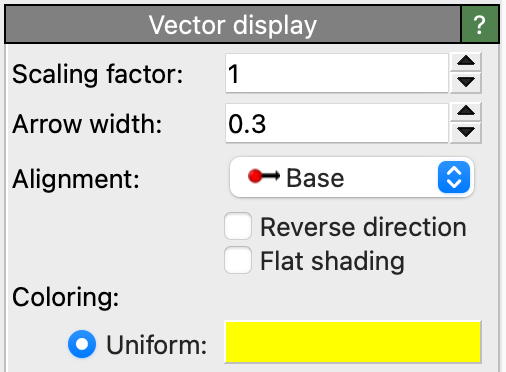
vector_vis = OvitoObject(ovito.vis.VectorVis,
                         flat_shading=False,
                         width=0.3,
                         title="Displacements")
|
|
input_table = DataObjectReference(DataTable, label="Input table")

|
|
input_property = PropertyReference(container="input_table",
                                   label="Input property")

|
Metadata attributes starting with ovito_ control the appearance of the widgets, e.g. ovito_unit specifies the physical unit of a numeric value, and
ovito_placeholder specifies the text displayed for a zero value.
Grouping parameters
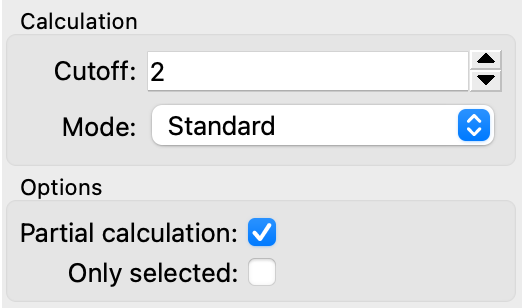
Parameters with the same ovito_group metadata get displayed together in a group box:
cutoff   = Range(low=0.0, value=2.0, label="Cutoff", ovito_group="Calculation")
method   = Enum(["Standard", "Other"], label="Method", ovito_group="Calculation")
partial  = Bool(True, label="Partial calculation", ovito_group="Options")
selected = Bool(False, label="Only selected", ovito_group="Options")
Embedded OVITO objects
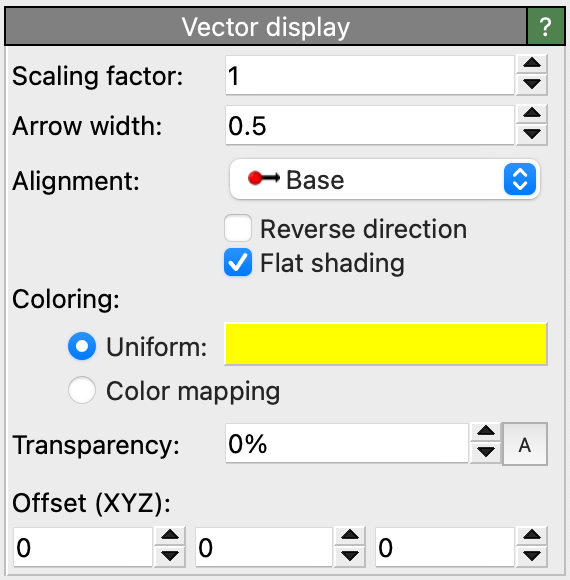
The OvitoObject trait type makes an object from the ovito package part of your extension, e.g. a visual element.
This is essential if your modifier creates data that should be visualized: the data gets recomputed every time the modifier runs, but the visual element
responsible for rendering it must stay the same, so that changes the user makes to its settings are preserved. OVITO Pro displays the settings panel of the
embedded object as part of the extension’s user interface:
import numpy
from ovito.vis import VectorVis
from ovito.traits import OvitoObject

class ComputeVectorsModifier(ModifierInterface):

    vector_vis = OvitoObject(VectorVis, width=0.4)

    def modify(self, data: DataCollection, **kwargs):
        vectors = data.particles_.create_property("Vectors", dtype=float, components=3)
        vectors[:] = (0.0, 0.0, 2.0)
        vectors.vis = self.vector_vis
An OvitoObject trait holding a FileSource gives a modifier an
additional input slot.
Parameters and cached results
When the user changes a parameter of a modifier, the pipeline system discards all cached results of the modifier, including its
data cache, and recomputes them. If a parameter doesn’t affect the
cached results, e.g. because it only controls the appearance of the output, add the ovito_invalidate_cache=False metadata to it:
color = Color((1.0, 0.0, 0.0), label="Color", ovito_invalidate_cache=False)
See also
ovito.traits– OVITO’s trait types