User-defined utility applets
OVITO Pro
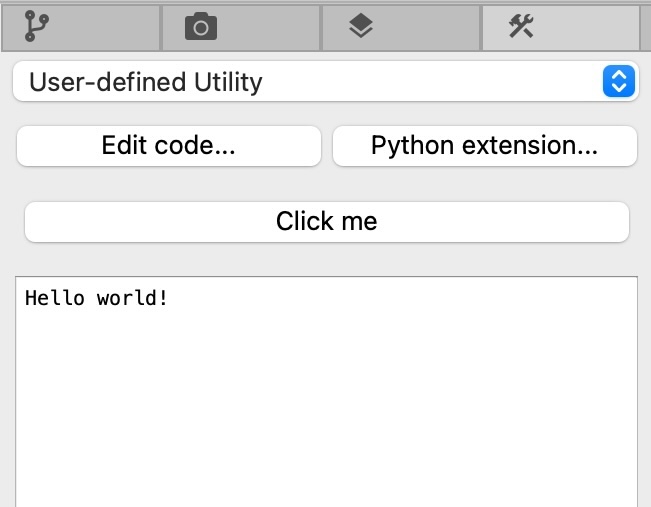
A utility applet adds a panel to the Utilities tab of OVITO Pro’s command panel. The panel can contain buttons that trigger actions implemented in Python, e.g. to automate a sequence of steps, set up a pipeline, or batch-process files, as well as input fields for parameters of these actions.
A utility applet is a Python class derived from UtilityInterface. Each button is defined by a Button trait,
which gets linked to a method, its action handler, using the action_handler() decorator:
from ovito.gui import UtilityInterface
from ovito.traits import action_handler
from traits.api import Button

class MyUtilityApplet(UtilityInterface):
    hello_btn = Button(ovito_label="Click me")

    @action_handler("hello_btn")
    def say_hello(self):
        print("Hello world!")
When the user clicks the button, OVITO Pro calls the say_hello() method. Output from print() appears in the log area of the applet’s panel.
An action handler can perform any operation, e.g. import a data file, or access and modify the pipelines and viewports of the current ovito.scene.
Long-running actions
While an action handler runs, OVITO Pro keeps the user interface responsive and displays a progress dialog, which lets the user cancel the operation. Implement the action handler as a generator function to report its progress, as described in Long-running computations:
@action_handler("process_btn")
def process_trajectory(self):
    num_frames = 1000
    yield f"Processing trajectory of {num_frames} frames..."
    for frame in range(num_frames):
        yield frame / num_frames # Report progress as a fraction
        do_some_work(frame)
A cancellation raises a KeyboardInterrupt exception inside the action handler, which you should let propagate.
Parameters
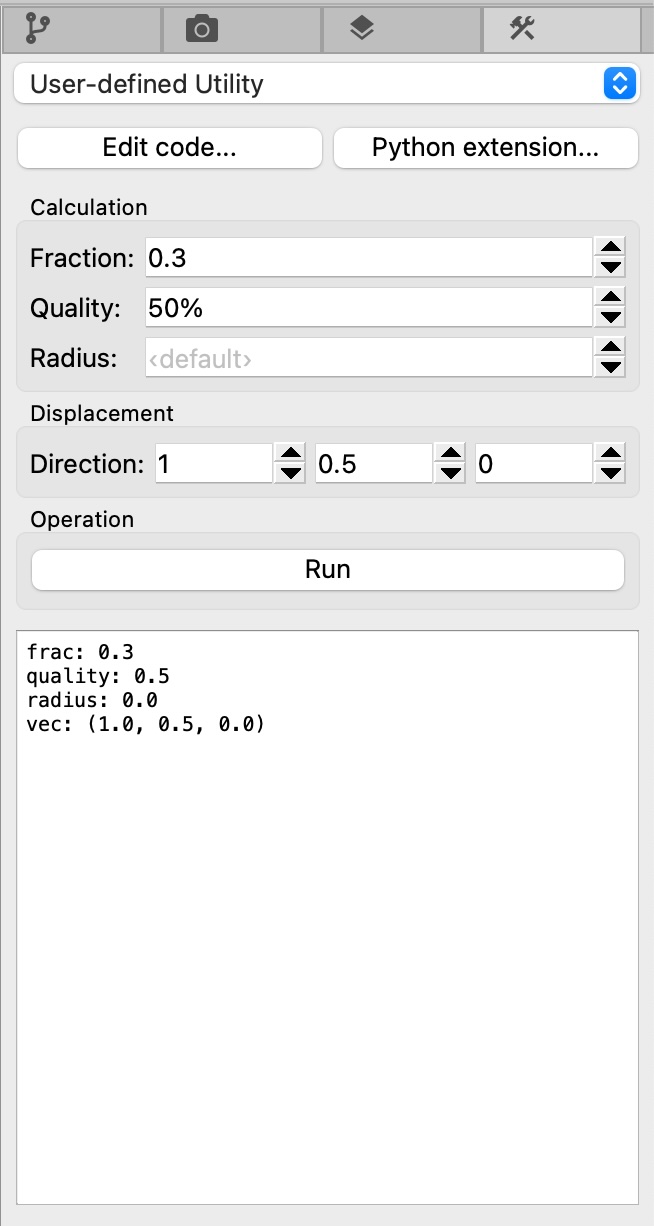
Like other class-based extensions, a utility applet can define parameters, which let the user enter input values for the actions:
from ovito.gui import UtilityInterface
from ovito.traits import action_handler
from traits.api import Button, Range
from ovito.traits import Vector3

class UtilityAppletWithParameters(UtilityInterface):

    frac = Range(low=0.0, high=1.0, value=0.3, label="Fract", ovito_group="Calculation")
    quality = Range(low=0.0, high=1.0, value=0.5, label="Quality", ovito_unit="percent", ovito_group="Calculation")
    radius = Range(low=0.0, value=0.0, label="Radius", ovito_placeholder="‹default›", ovito_group="Calculation")

    vec = Vector3((1.0, 0.5, 0.0), label="Direction", ovito_group="Displacement")

    run_button = Button(ovito_label="Run", ovito_group="Operation")

    @action_handler("run_button")
    def perform_operation(self):
        print(f"frac: {self.frac}")
        print(f"quality: {self.quality}")
        print(f"radius: {self.radius}")
        print(f"vec: {self.vec}")
Installing a utility applet
To make a utility applet appear in OVITO Pro, package it and install it as described in Packaging and installing extensions.