Add text labels
Added in version 3.16.0.
This modifier displays the values of a property as text labels next to the data elements they belong to.
Use it, for example, to display Particle Type, Particle Identifier, Atom Name, or the values of
other properties of particles, bonds, and other data elements.
The modifier writes the label texts into a new string property, named Text Label by default, and
attaches a Text labels visual element to it to render the labels in the 3D scene.
The appearance of the labels is controlled by that visual element.
Note
This modifier creates one label per data element, anchored at the element’s 3d position and moving with the scene as the camera changes. If you just want to display a single, static text block at a fixed position in the rendered image, e.g. the current simulation time or a global quantity computed by the pipeline, use the Text label layer instead.
Values are converted to text as follows:
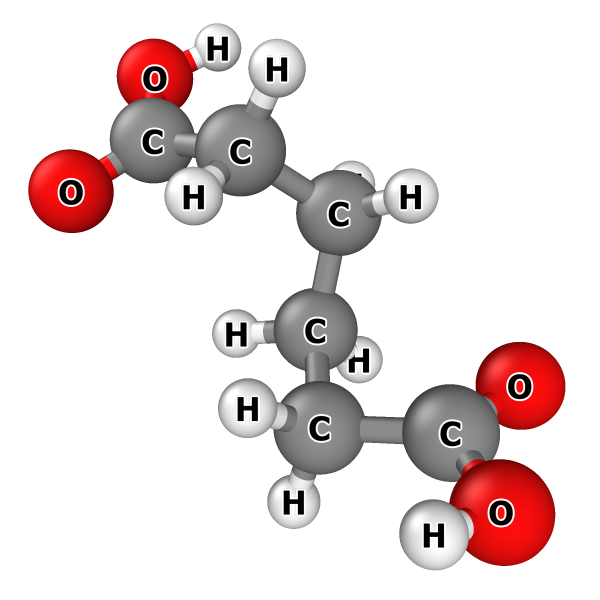
A typed property, e.g.
Particle TypeorStructure Type, is displayed as the name of the corresponding type rather than its numeric type ID (see example on the right).Floating-point values are formatted according to the Format parameter (see below).
Integer values are rendered as plain decimal numbers.
Properties that already have a text data type, e.g. the
Atom Nameproperty, are used verbatim.
The modifier can be applied more than once to the same data elements. Each instance is automatically given its own Text labels visual element, so several labels can be shown per element, each with its own style and placement.
Parameters
- Operate on
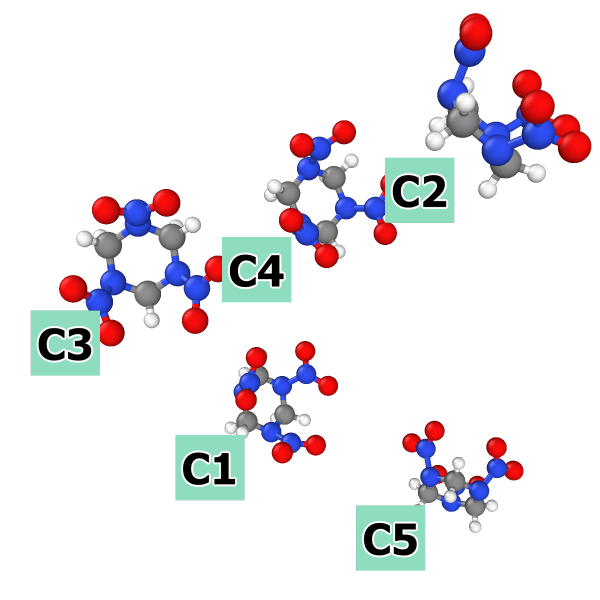
Labeling of atomic clusters identified by the Cluster analysis modifier
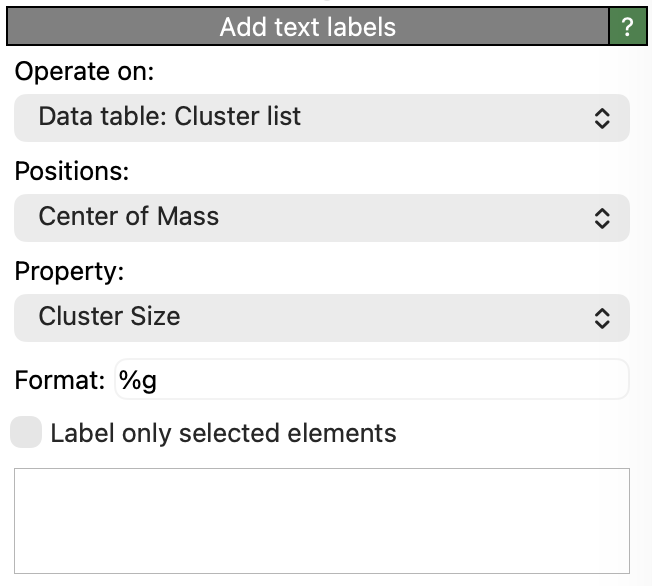
Selects the kind of data elements to label: particles, bonds, lines, vectors, voxel grid cells, the vertices or faces of a surface mesh, or a data table with appropriate values.
- Positions (only for data tables)
The table column providing the 3d coordinates at which the labels are placed. This parameter appears only if a data table has been selected as input, because a table, unlike particles or the other kinds of data elements, has no standard position property. Only columns with three floating-point components are offered for selection. Note that all text label modifiers acting on the same data table share this setting.
If the table additionally contains a column named
RadiusorRadius of Gyrationholding one floating-point value per row, that value is taken as the size of the object the row stands for, and a label that is not centered is pushed outward by that amount instead of sitting right on the anchor point.- Property
The input property whose values are turned into label texts. A vector property may be selected either as a whole, in which case all of its components go into one label, or as an individual component.
- Format
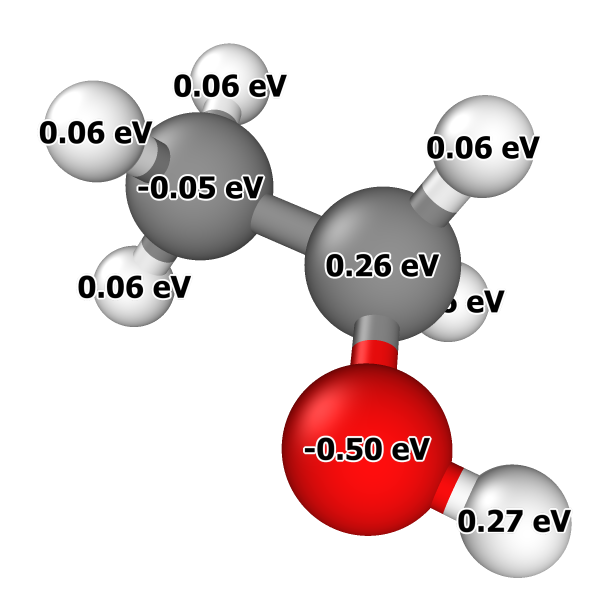
Format string example:
%.2f eVThe C-style format string used to convert floating-point values into text, e.g.
%.6gor%.2f. The format string must follow the rules of the standard printf() C function.The format string must contain one conversion specifier per value that goes into a label: one if a scalar property or a single vector component is selected, and one per component if a vector property is selected as a whole. Labeling the
Positionproperty of particles with(%.2f, %g, %g), for example, produces labels such as(1.00, 2, 3). A single conversion specifier is accepted for a whole vector property too; it is then applied to every component in turn, and the components are joined with", ". Any other number of conversion specifiers is reported as an error.Literal text may be incorporated into the format string to add a unit symbol or a marker character, for example
%.2f eVor#%g. For input properties with a text, integer or typed data type, which bring their own text representation, only the literal parts of the format string are used, and they are placed around that representation. A format string containing no conversion specifier at all gives every element the same constant label text.Tip
You can include HTML markup elements to format the text, e.g., to produce special notations such as superscripts or subscripts. See HTML text formatting for further information.
- Label only selected elements
If turned on, only the currently selected elements are given a label. The label strings of all unselected elements remain empty, and nothing is rendered for them. Use this to label just a handful of interesting elements in a large dataset.
See also
Text labels visual element
Text label layer viewport layer
ovito.modifiers.TextLabelsModifier(Python API)